Website chat with a real handoff

AI qualifies the visitor. Your rep joins on video, in the same window.

Most chat widgets end at a form fill. This one escalates to a real person with camera, microphone and screen share over WebRTC, while the prospect is still reading your pricing page.

Installed in one line

Add the script tag to your site, register your domain, and the widget is live. It runs in a Shadow DOM, so it inherits nothing from your CSS and breaks nothing on your page.

<script src="https://your-app.example.com/widget.js" data-dashe-key="pk_live_..." async></script>

What your team gets

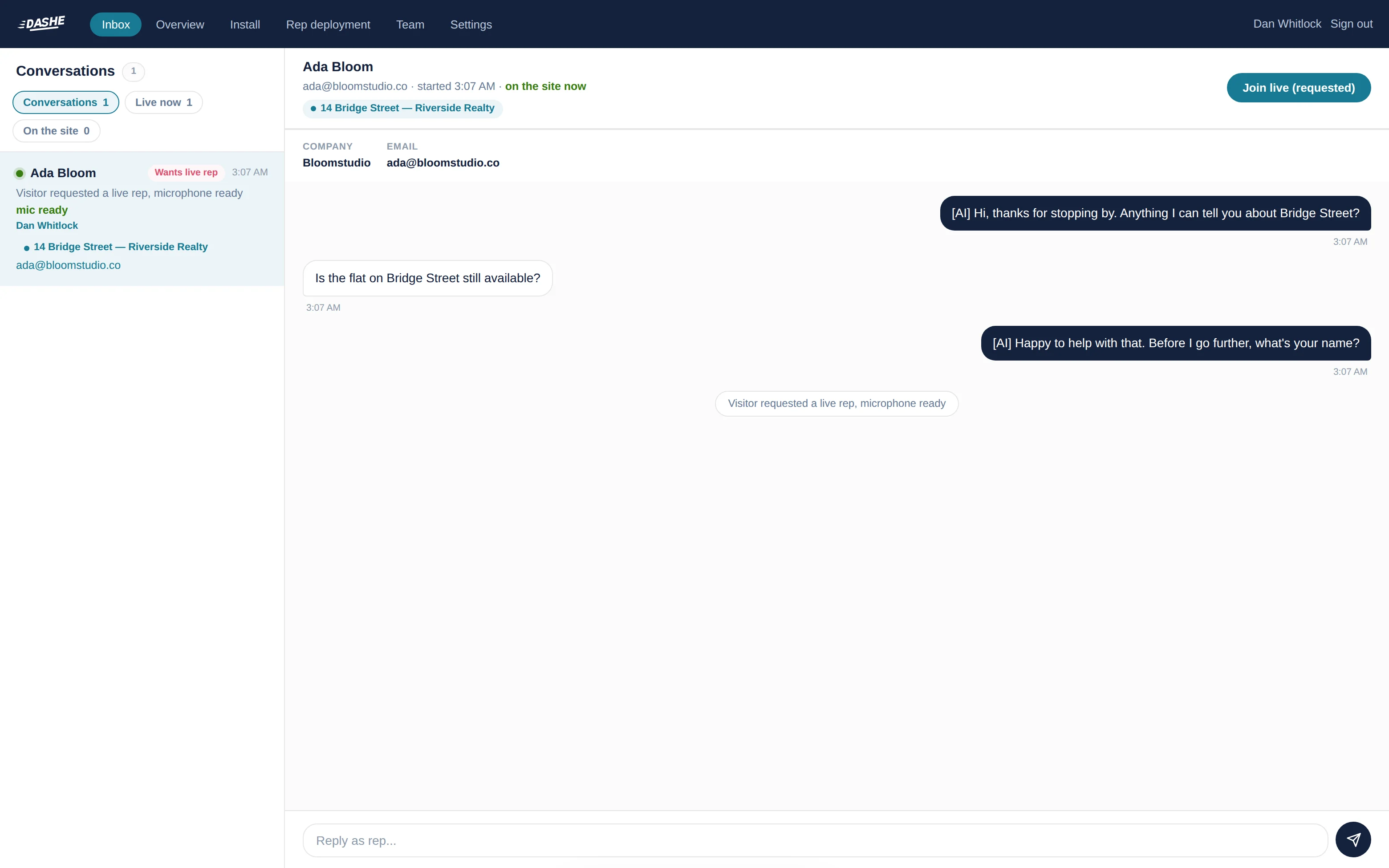
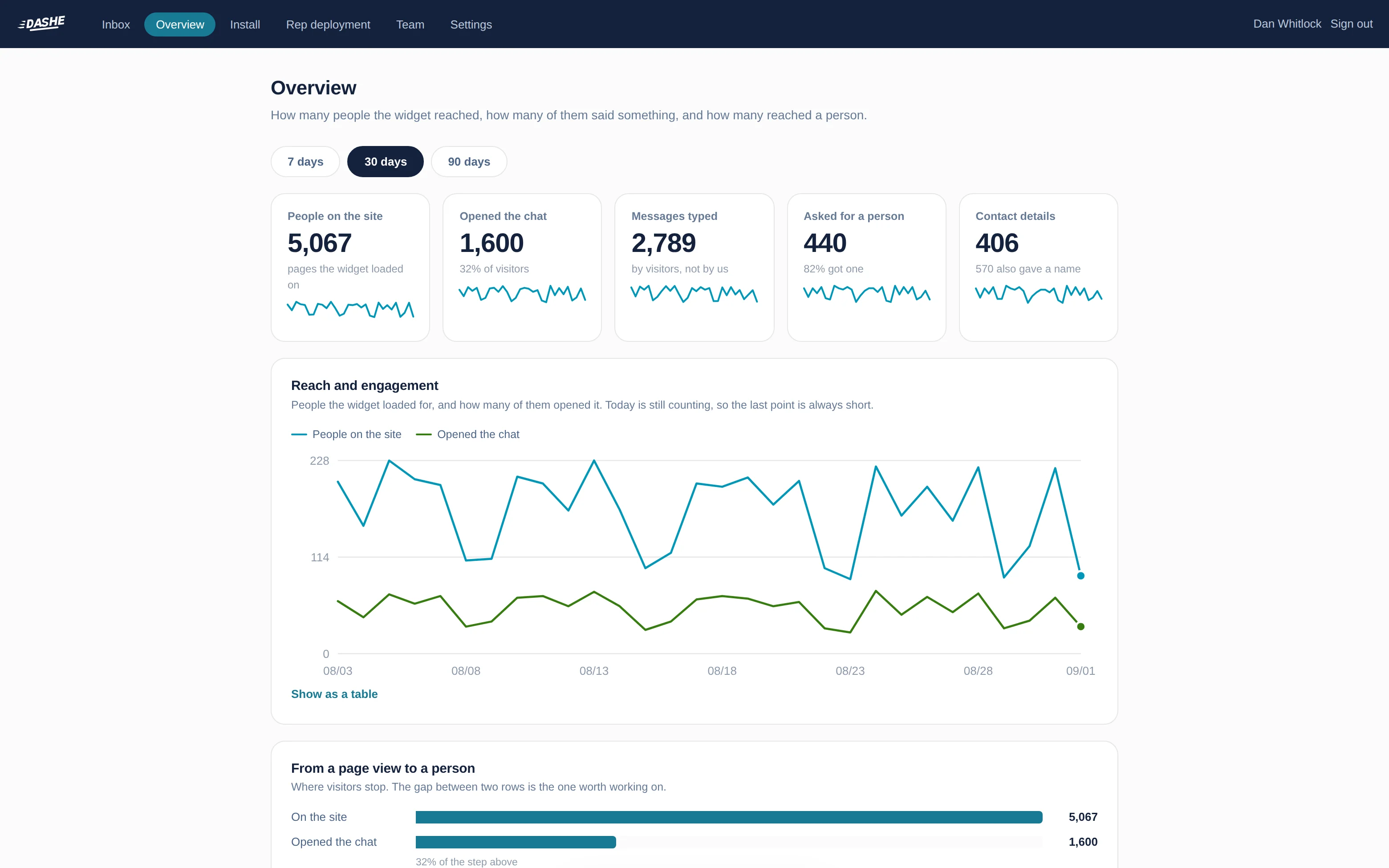
A shared inbox, per-page targeting, and the controls to decide who shows up where.

Live video handoff

The visitor clicks once and a rep joins with audio, video and screen share. Media goes peer to peer, so video never touches our servers and bandwidth cost stays near zero.

Rep rollout controls

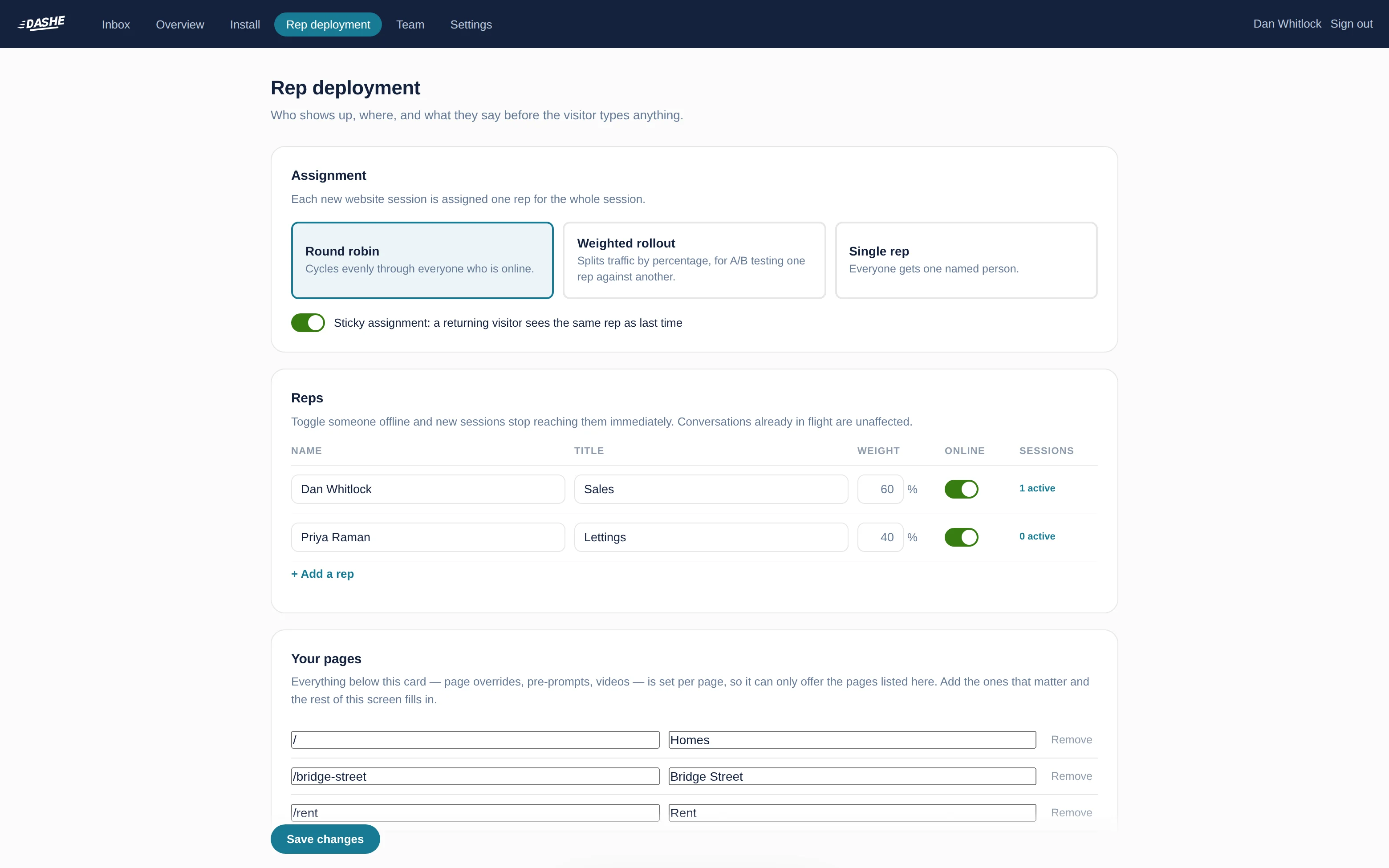
Round robin, weighted A/B split, or a single named rep. Force a specific person on specific pages. Toggle someone offline and new sessions stop reaching them immediately.

Per-page video and prompts

A visitor on your pricing page sees a pricing-specific intro from their assigned rep, and prompts that match what they are reading. Both swap live as they navigate, with no reload.

Roles that fit a real team

Owners and admins configure. Agents answer conversations and nothing else. Viewers read transcripts. Invite by email, change a role, and open dashboards update immediately.

Transcripts that persist

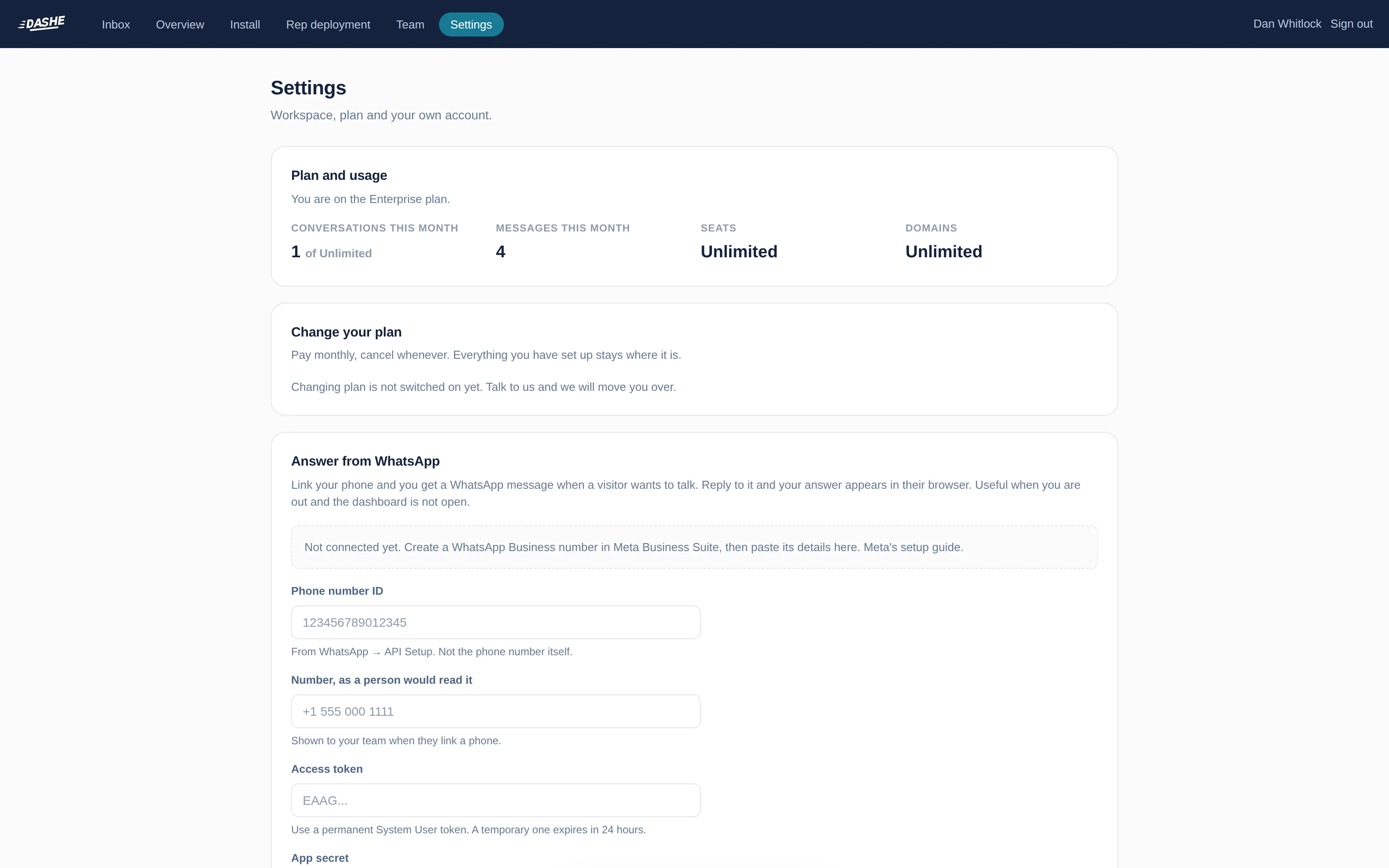
Every conversation is stored against your workspace and survives restarts, with a retention window you control so a security review has a clear answer.

Keys locked to your domains

Your widget key is public by design. It only works on the domains you register, so a copied snippet on another site is refused before it renders anything.

From signup to live in about ten minutes

No engineering ticket, no data migration.

1
Create your workspace

Email, password, company name. You land on the install screen.

2
Add your domain and paste the snippet

One script tag before </body>. The dashboard tells you the moment it sees the widget load.

3
Add your reps

Name, title, and optionally a short intro video per page. A Loom link or an mp4 URL both work.

4
Invite the team to the inbox

Agents see conversations and answer them. When a visitor asks for a human, every open dashboard hears it.

Plans

Every workspace starts on a 14 day trial. Talk to us when you are ready to move up.

Trial

Free
  • 3 seats
  • 1 domain
  • 200 conversations
  • 4 reps
Start now

Starter

Contact us
  • 5 seats
  • 3 domains
  • 1,000 conversations a month
  • 6 reps
Start a trial

Growth

Contact us
  • 25 seats
  • 10 domains
  • 10,000 conversations a month
  • 12 reps
Start a trial

Enterprise

Contact us
  • Unlimited seats and domains
  • Dedicated TURN relay
  • Custom retention
  • SSO on request
Talk to us